
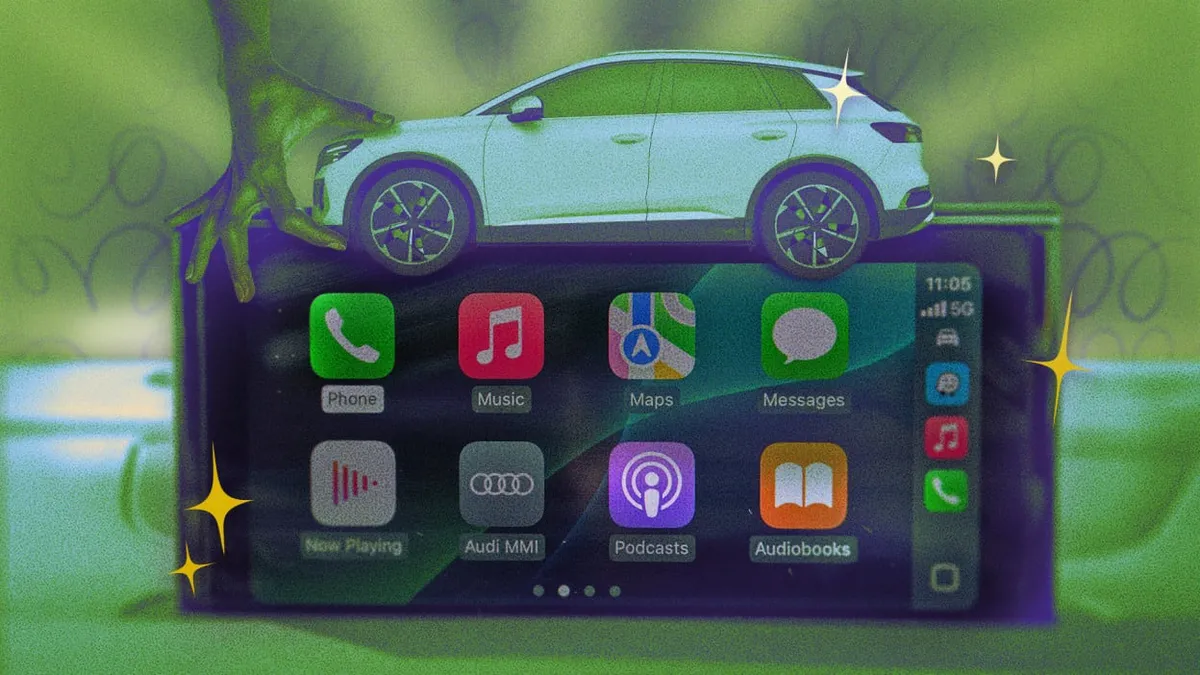
You plug in your iPhone, the CarPlay screen lights up, and you tap on Maps like a cave person who just discovered fire. Sound familiar? Yeah. Most of us are using Apple CarPlay at about 15% of its actual potential, and that is genuinely embarrassing given how much we paid for the car.
Lifehacker rounded up 10 hacks that CarPlay users should actually know, and the good news is they're not buried in some 400-page manual. The bad news is you've probably been doing this wrong for years.
The stuff you're definitely missing
One of the biggest underused features is the ability to customize your CarPlay Home Screen layout directly from your iPhone. Go to Settings, then General, then CarPlay - and boom, you can rearrange apps, remove the ones you never use, and stop accidentally launching Podcasts when you just wanted Spotify. Revolutionary, we know.
Another gem: Siri is actually your friend here, not your enemy. Asking Siri to send a message, change the playlist, or find a gas station keeps your eyes where they belong - on the road, not on the touchscreen. Using CarPlay without leaning on Siri is like buying a dishwasher and washing everything by hand. Stop it.
The nerdy-but-useful ones
Did you know you can use third-party navigation apps like Google Maps or Waze as your default instead of Apple Maps? It takes about 30 seconds to set up and could save you from whatever nightmare re-routing Apple Maps has planned for you today.
There's also the matter of the Dashboard view - that split-screen mode that shows your map alongside your music controls at the same time. If you haven't discovered this yet, please take a moment to process the time you've wasted toggling between apps like some kind of 2009 Nokia user.

Why this actually matters
This isn't just about convenience - it's about safety. Every extra tap on that screen while you're moving is a small disaster waiting to happen. The more you know your CarPlay setup cold, the less you're fumbling around and the more you're watching the road. The tips highlighted by Lifehacker are genuinely practical, not just tech-flex material.
So yes, spend 10 minutes this weekend actually learning the tool you interact with every single day. Your future self, stuck in traffic but flawlessly queuing the perfect playlist without looking down, will thank you.